Connect Dropbox
Dropbox is how Kelly finds your shoot folders, creates share links for your editor, and preps folders each morning. This one's a single click — no keys to copy.
1
Open Settings → Integrations
In Kelly, open Settings → Integrations (Settings is at the bottom of the chat sidebar) and click Connect Dropbox on the Dropbox card.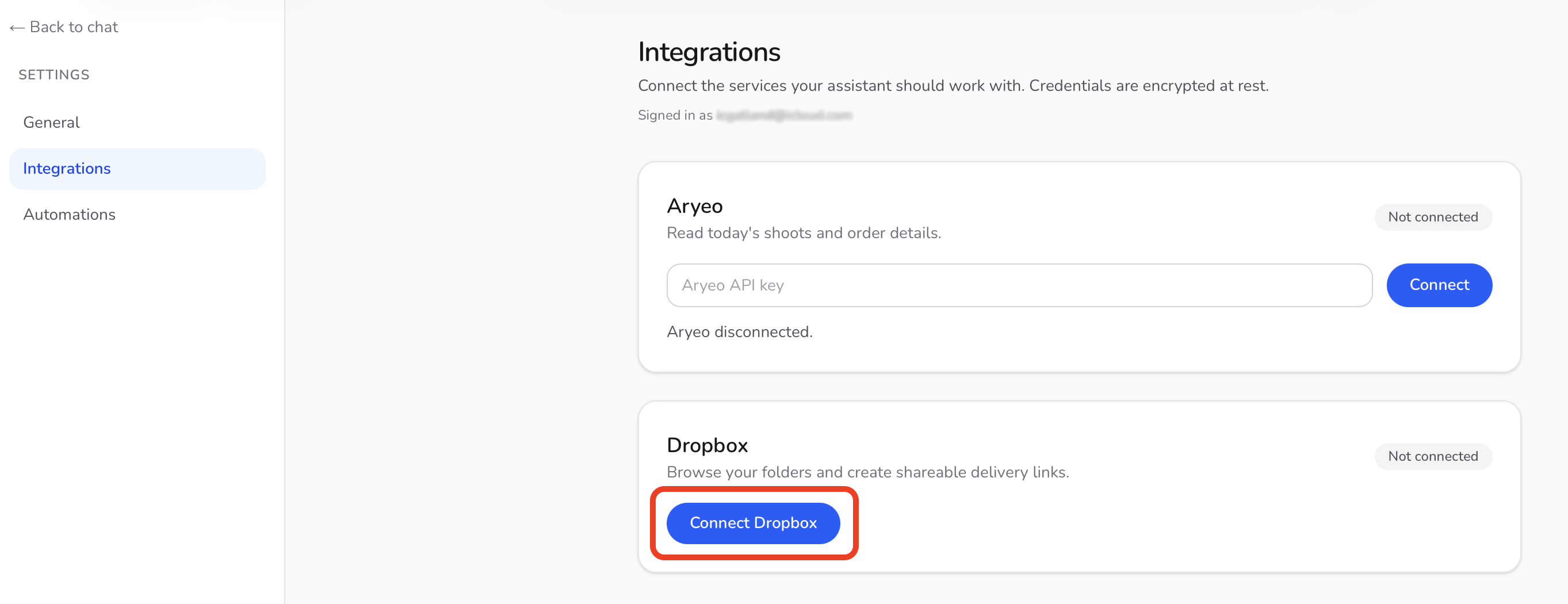
2
Approve on Dropbox
You'll be sent to Dropbox to approve access. Click Allow — you'll land back in Kelly's Settings with a “Dropbox connected” confirmation.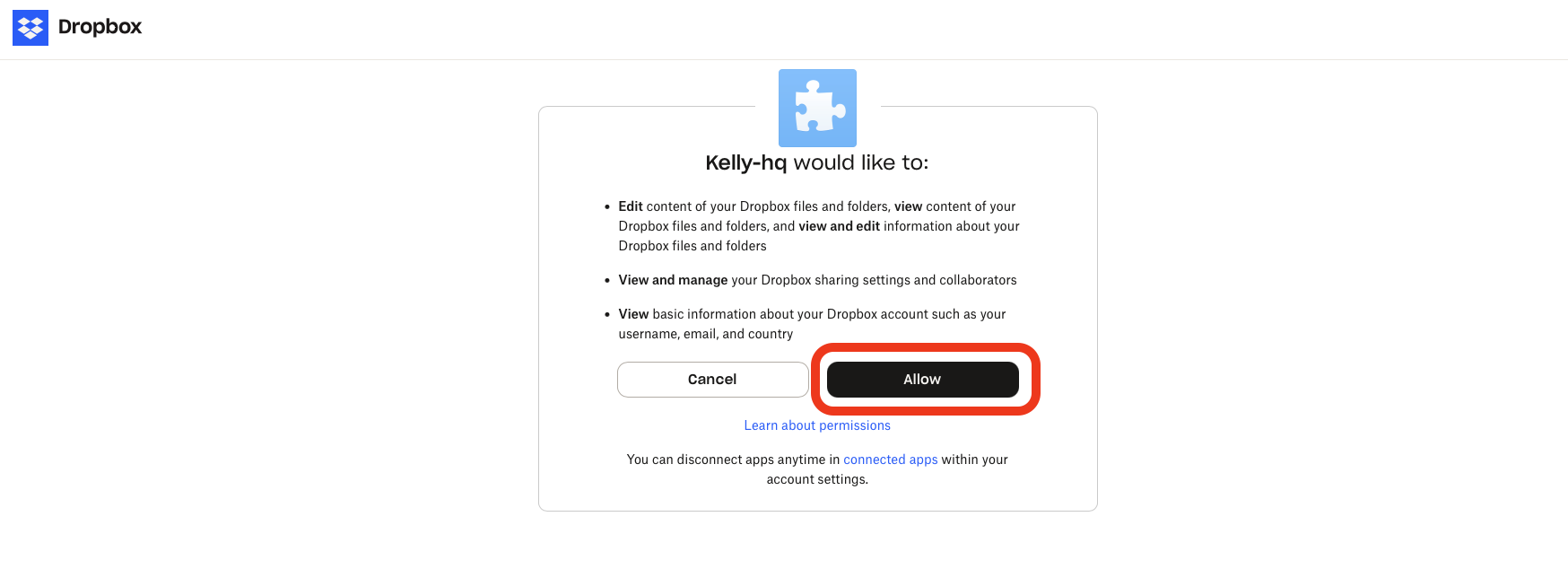
3
Test it
Ask Kelly: “What's in my Dropbox?” or “Find the folder for [a recent shoot address]”.
Kelly only ever creates folders and share links — she never deletes or moves your files. You can disconnect anytime from the same Settings card.